Add AI Virtual Try-On to YourShopify Store in Minutes
Let your customers see how products look on them before buying. Reduce returns, boost conversions, and capture email leads — all with a simple theme block.
How It Works
Get up and running in three simple steps

Add the Widget
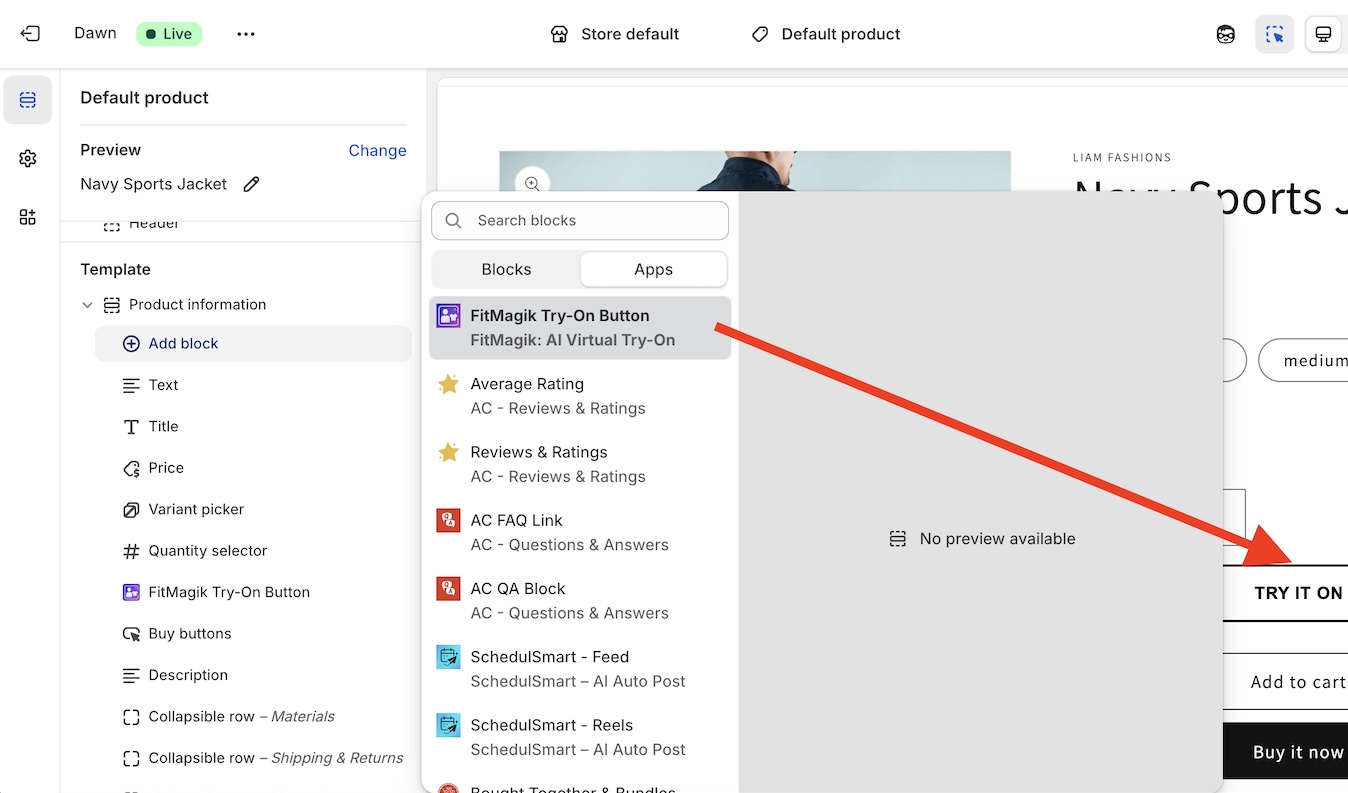
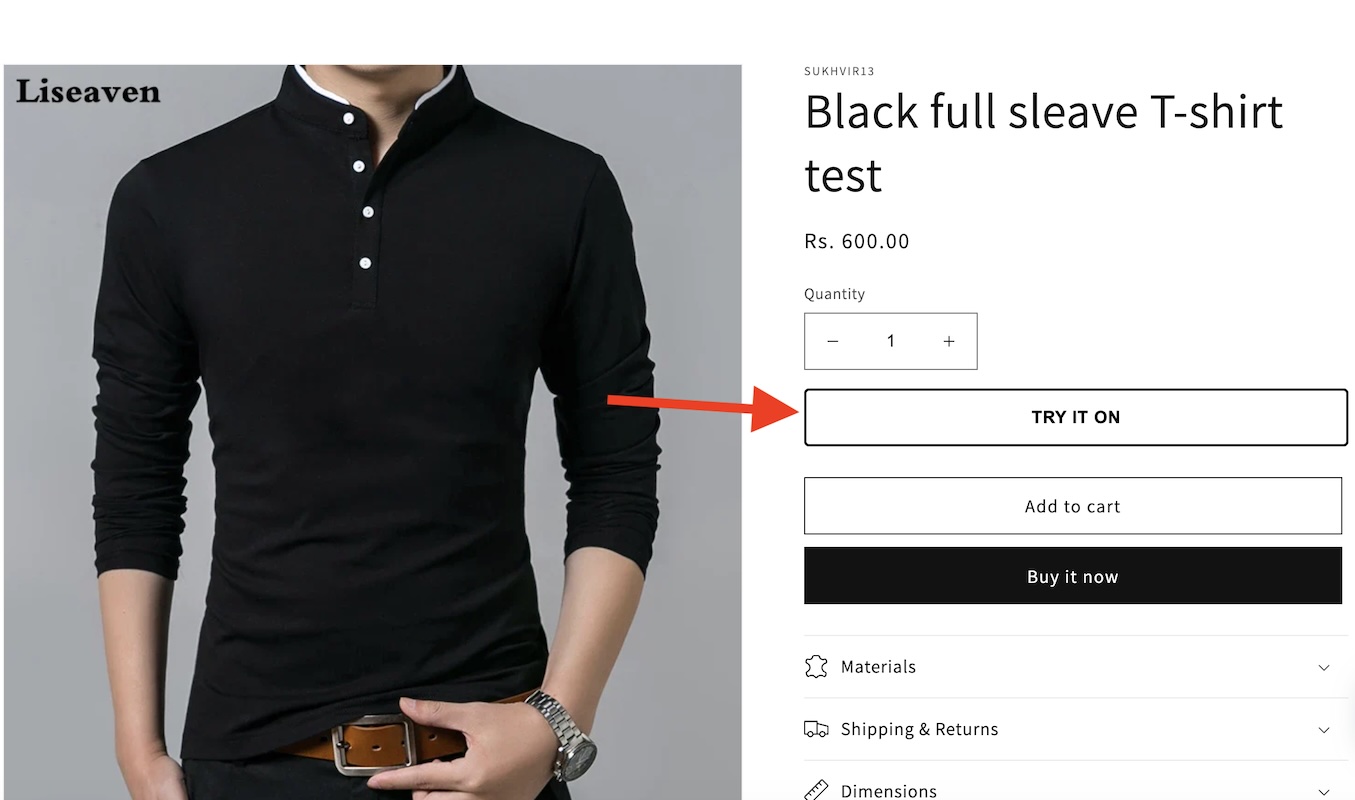
Install FitMagik and enable the try-on button on your product pages — no code required.

Customers Try On
Shoppers upload a photo and instantly see how your products look on them using AI.

Track Results
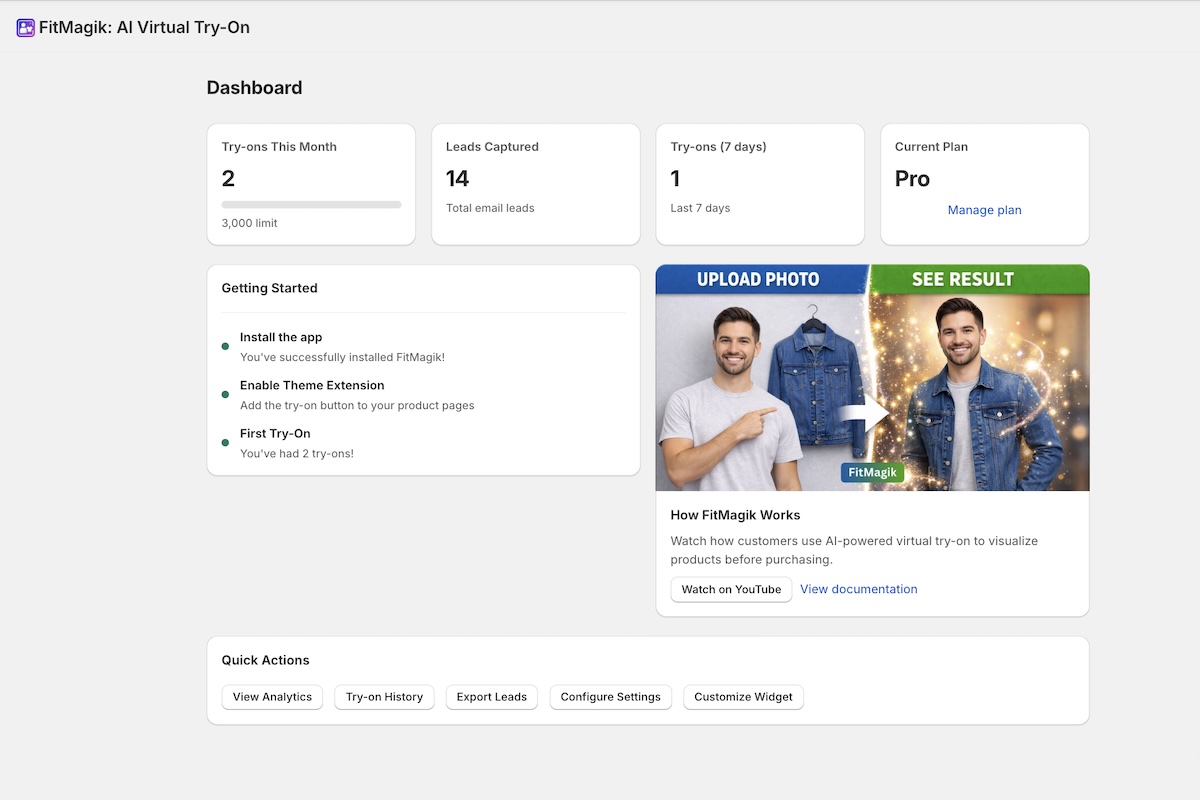
See every try-on, captured email leads, and analytics in your merchant dashboard.
See FitMagik in Action
Watch how a merchant sets up FitMagik and how customers experience virtual try-on.
Merchant Setup
Customer Experience
Why Merchants Choose FitMagik
Everything you need to add virtual try-on to your store
Customers upload a photo and see products on themselves instantly. Works with clothing, accessories, eyewear, and more.
Shoppers who try before they buy are more confident. Virtual try-on helps turn browsers into buyers.
Every try-on captures the customer's email automatically. Build your marketing list while customers shop.
When customers see how products actually look on them, they make better purchase decisions.
Simple, Transparent Pricing
Start free. Upgrade as you grow.
Perfect for testing. No credit card required.
Get StartedFor stores starting to see traction.
Get StartedFor high-volume stores. Priority support.
Get StartedTrusted by Shoppers & Merchants
Thousands of shoppers already use FitMagik on fitmagik.com to try on products before buying. Now bring that same experience to your Shopify store.
Frequently Asked Questions
How long does setup take?
Under 5 minutes. Install the app, enable the theme block in your Theme Editor, and you're live.
Does it work with all Shopify themes?
Yes. FitMagik uses a Shopify theme app extension that works with all Online Store 2.0 themes.
What products does it work with?
Clothing, accessories, eyewear, shoes, bags, jewelry — anything wearable. The app automatically filters your product catalog to show only try-on-able items.
Do customers need to create an account?
No. Customers just upload a photo and enter their email. No sign-up required.
Is the AI processing done on my store's servers?
No. All AI processing happens on FitMagik's cloud infrastructure. Your store's performance is never affected.
Can I cancel anytime?
Yes. All plans are billed through Shopify's billing system. Cancel or downgrade anytime from your Shopify admin.
Ready to Let Your Customers Try Before They Buy?
Join Shopify merchants using AI virtual try-on to boost sales.
Install FitMagik Free